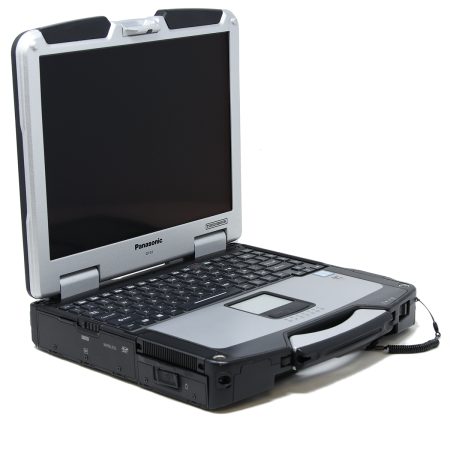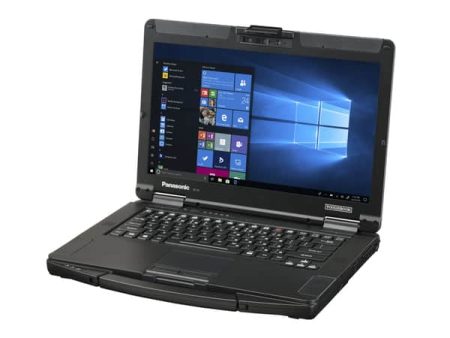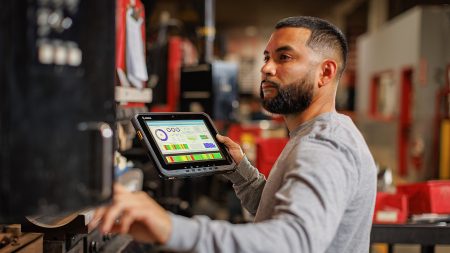






Field computing now involves more than opening work orders and submitting forms. Technicians may process equipment data, review detailed models, use computer vision, join video calls, and transfer large files from remote locations. The panasonic toughbook fz-56 was developed for these growing demands while retaining the durability and modular format expected from a field laptop. For IT teams, its value lies in combining current computing hardware with configurable ports, storage, wireless connections, and security features.
Why Are Field Computing Requirements Changing?
Many organizations keep rugged computers in service longer than office notebooks. A laptop selected today may need to support applications, accessories, networks, and security policies that change during its working life.
Field software is becoming more demanding. Mapping tools use larger datasets, diagnostic programs collect more information, and remote-support platforms rely on clear audio and video. Some organizations run AI-assisted document processing, image analysis, equipment monitoring, or evidence review directly on the device.
The FZ-56 uses Intel Core Ultra Series 2 processors, with an optional discrete graphics configuration for workloads that need additional visual or AI processing. Buyers should match the processor, memory, storage, and graphics package to tested software requirements instead of choosing components only by their headline specifications.
How Does Modularity Support Different Roles?
A fixed laptop configuration can create problems when one department needs serial equipment connections, another needs additional Ethernet ports, and a third requires a smart card or barcode reader. External adapters add cables and parts that can be lost or damaged.
The FZ-56 provides six modular areas, including its battery, memory, storage, and three expansion-pack areas. Available modules can add optical drives, authentication readers, barcode scanning, storage, or input and output connections. Ethernet options can support multiple ports and speeds up to 10 Gbps in selected configurations.
This design allows an organization to create role-based configurations from the same laptop family. A vehicle technician might need a true serial connection and Ethernet. A public safety user may prioritize authentication hardware and cellular service. A field engineer working with large visual files may require additional storage or dedicated graphics.
Configuration limits still matter. Panasonic notes that the discrete-graphics model does not include a docking connector and differs in which areas users can replace. Procurement teams should review these differences before standardizing docks or accessories across a fleet.
What Supports Work Away From the Office?
The 14-inch WUXGA display uses a 16:10 aspect ratio, providing more vertical room for forms, tables, maps, and technical applications. An optional 1,000-nit touchscreen supports gloved input and outdoor visibility. The display should be selected according to light conditions, glove use, and data-entry methods.
Standard battery estimates reach 12 hours under Panasonic’s stated MobileMark 30 testing, while an optional second battery raises the published figure to 24 hours. Actual runtime will depend on screen brightness, processor demand, wireless activity, attached modules, temperature, and battery health. Teams should test representative applications rather than basing shift planning solely on laboratory figures.
Wireless options include Wi-Fi 7, Bluetooth, optional GPS, and optional 5G. These connections can support live work orders, mapping, remote assistance, and data uploads, but coverage and carrier compatibility should be confirmed for each operating region.
How Rugged Is the FZ-56?
Panasonic lists the laptop with a three-foot drop rating, MIL-STD-810H testing, and IP53 protection. These specifications are intended for environments involving vibration, shock, temperature changes, dust, and moisture. They do not make the device immune to damage. Port covers, batteries, screens, handles, and docking connections still require correct use and regular inspection.
The FZ-56 can suit utilities, public safety agencies, field service companies, manufacturing teams, transportation operations, and government users. Fully rugged models may be more appropriate for severe weather, repeated drops, or heavier environmental exposure. An environment review should determine the required protection level.
What Should Buyers Confirm Before Ordering?
Begin with application testing. Confirm the operating system, processor, memory, graphics, storage, ports, and wireless hardware needed by each user group. Then review accessories, vehicle power, antennas, security requirements, warranties, and repair arrangements.
Panasonic states that compatible configurations retain more than a decade of vehicle-dock compatibility. This may reduce replacement work for existing fleets, but every dock, antenna connection, power supply, and laptop package should be checked individually. The dedicated-graphics configuration requires particular attention because it does not use the standard docking connector.
The FZ-56 represents a major update for teams that need current processing, flexible connections, and field-ready construction in one device. Its many configuration choices are most useful when each selection is tied to an actual role, application, or working condition.
To compare FZ-56 models, display options, expansion modules, warranties, and accessories, visit Tough Rugged Laptops. Review the available configurations or request guidance in selecting a rugged laptop for your software, fleet, and field environment.